2014年10月26日星期日

Modernizing the home screen: How iOS could take cues from the design of the Apple Watch [feedly]


----
Modernizing the home screen: How iOS could take cues from the design of the Apple Watch
// 9to5Mac

Header

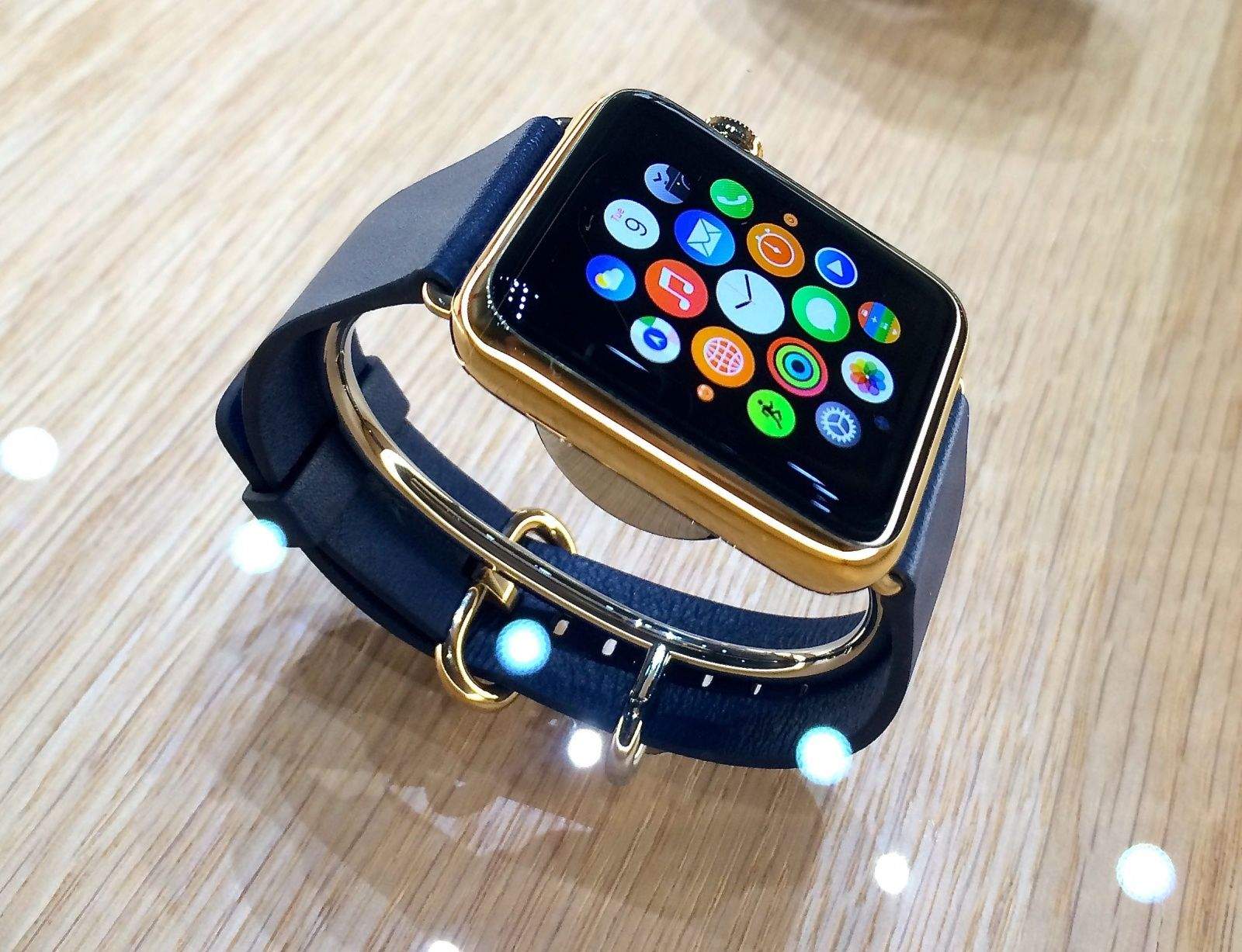
At Apple's special press event this past September, we witnessed the introduction of several new user interface paradigms, in the form of Apple Watch. Perhaps one of the most interesting was Apple Watch's entirely new home screen. This is the first departure from the same basic concept of the home screen that Apple demoed in January of 2007 when it debuted the iPhone OS.

Apple clearly thinks that Apple Watch is the future of the company, but is the Apple Watch home screen the future of the iOS home screen? Let's take a look at how we arrived at where we are today.

iPhones

History

To understand why Apple designed the home screen the way they did, you have to remember what iOS was like in 2007. Apple was only shipping devices with 3.5-inch, non-retina displays, and third party apps were still nowhere to be found. With every year that passed, both the devices and the software that ran on them matured, adding new features along the way. In 2010, the iPad was added to the mix, and the home screen simply scaled up to follow. The same year, the retina display was introduced, and the home screen was given the 2x treatment.

In 2012, the iPhone 5 brought a 4-inch display, and the home screen just added another row. The same happened this year with the iPhone 6. The iPhone 6 Plus scales up the home screen even more.

Here we are in 2014, and the iOS home screen is essentially the same as it was in 2007. Plenty of arguments have been made that the home screen looks "dated" or needs certain features, but I'm proposing not change for the sake of change, but change that unifies, modernizes, and redefines the home screen as we know it. What would happen if the Apple Watch home screen came to the iPhone?

Apple Watch

One Fluid System

Moving the Apple Watch home screen to the iPhone breaks down barriers that have been part of the system since day one. Gone are the concepts of home screen pages and the dock, replaced with one large, fluid grid of apps. The app grid not only looks more modern with its round icons, but it scales perfectly to any size display, all the way from the smallest Apple Watch to the 9.7" iPad, without looking crammed or too spread out at any size.

ZoomLevels

Navigation

At the center of Apple Watch's home screen is the clock, the anchor point for the device. Similarly, at the center of the iPhone's new home screen would be Spotlight, a central search repository for quick access to applications, web searches, music, contacts, and more. This central point is where you return to every time you exit an app or unlock your device.

You might not find yourself needing to launch apps from Spotlight anymore, however. With the new home screen layout, all of your apps are always close by, no longer stranded pages and pages away from screen one. In fact, with this new layout, you can adjust the content density of the home screen just by pinching in and out, moving the entire seamless honeycomb of apps with you. Pinch out to see a bird's eye view of all of your apps. Zoom in as close as you want to see app icons and titles up close. This is great for those with poor eyesight. It also eliminates the need for a zoomed home screen option, a feature introduced with iOS 8 on the iPhone 6 and 6 Plus.

FolderComp

Arranging apps as you see fit and moving them into folders is just as easy as before. Pressing and holding down on an app invokes the familiar "wiggle" mode, and you can move apps anywhere you want in the grid, without the frustration of apps flipping back and forth between rows and pages inadvertently when trying to position the app in a folder on the end of a row or page, an annoyance we've all experienced.

The organization and navigation of folders is largely unchanged from the current home screen layout, but gains all the benefits of the new app grid. Each folder is still a portal into another grid of apps, but without pages. The icon preview for a folder shows the innermost circle of 7 apps, and tapping on the folder expands it, where you can swipe around to access all of your apps.

Reachability

Reachability

As part of the iPhone 6 and 6 Plus launch last month, Apple introduced a new feature called Reachability, designed to make using the new iPhones with one hand easier. Double touch the home button and all of your home screen icons or app content slides down. This feels pretty crude to me, an admission that iOS wasn't really designed to run on phones of this size. The new home screen layout would solve the problem of home screen reachability entirely. If an app is out of reach, just drag the grid down so you can reach it, and tap. The advantage of a continuous grid like this is that you can swipe in any direction, instead of just left to right like is possible today.

The current layout of the iOS home screen places application priority at the top and bottom of the display. When adding applications to a home screen, they fall into line one by one starting at the top left corner. This top row is now the hardest place to reach on new iPhones. The new home screen layout moves the highest application priority to the center of the display, the most natural area to interact with.

As you can see in the photo above, Reachability on the iPhone 6 Plus moves the top row of icons to roughly the center of the display, in line with the logical center of the new home screen layout. This is perhaps the most compelling part of a redesigned home screen. Designing with multiple display sizes in mind removes the need for awkward workarounds like Reachability.

IconsRound

Iconography 

You might be wondering how developers would tackle the problem of round app icons. Would everyone need to redraw all of their icons? Not quite. I took a sampling of some stock iOS icons above and cropped them to a circle.

The results are pretty conclusive. Icons designed with the iOS 7 icon grid in mind fit almost perfectly when cropped to a circle. It's only icons with detail close to the edges that run into problems, like Passbook and Reminders. As you'll notice in the other screenshots across this article, many third-party apps also fit well right out of the gate.

It's also important to keep in mind the Apple Watch. Any apps designed for the Watch's UI require round icons. Therefore, it would be in developers best interests to create one icon that would work well across both Apple Watch and iPhone.

With Apple Watch, Apple has created an entirely new, modern home screen that is not only more intuitive, it's more flexible and adaptive as well. Only time will tell if this design trickles down to the iPhone, but the benefits it brings make it a strong contender for a new face of iOS.


Filed under: AAPL Company, Apple Watch, iOS Tagged: Apple watch, design, grid, home screen, iOS, iPhone, redesign, Spotlight

For more information about AAPL Company, iPhone, and iOS continue reading at 9to5Mac.

What do you think? Discuss "Modernizing the home screen: How iOS could take cues from the design of the Apple Watch" with our community.


----

Shared via my feedly reader


Sent from my iPhone

Roundup: iPad Air 2 reviews are positive, while iPad mini 3 reviews sing the praises of last generation [feedly]


----
Roundup: iPad Air 2 reviews are positive, while iPad mini 3 reviews sing the praises of last generation
// 9 to 5 Mac

iPad-Air-2-hero-01

Reviews of the iPad Air 2 and iPad mini 3 have gone live across the web tonight and, as you may have expected, reviewers and pundits love Apple's newest tablets. As usual, we've rounded up links to the reviews along with some choice quotes. You can find them all below the break:

iPad Air 2

The Verge

Pick up an iPad Air 2 and you'll immediately understand why Apple pursues that thinness with such single-minded zeal. It's so, so thin: 18 percent thinner than the older Air, and even slightly lighter. It's hard to believe that there's a computer back there, let alone a computer as powerful than the laptop computers of just a few years ago. If there is anything magical about this new iPad it is this, this feeling of impossibility. The Air 2 makes the original iPad look and feel archaic, like a horrible monster from a long-forgotten past.

Re/code

The latest iPad also was able to handle the new "continuity" features in Apple's just-hatched operating systems. It made and received phone calls relayed by my iPhone 6 when they were on the same Wi-Fi network. And it was able to use Handoff, the feature that lets you complete certain actions, like viewing a Web page or writing an email started on a Mac, and vice versa. It also was able to receive and return standard SMS messages from my Android phone.

The problem was this: I couldn't tell the difference between the Air and Air 2 while doing these things. The new model didn't seem faster or smoother while running all my apps, perhaps because — like most people — I don't use my iPad for the most demanding video-editing apps or high-end games. It registered pretty much the same network speeds as my Air.

The Air 2 didn't allow me to hold or carry the tablet longer and more comfortably than the Air. Its weight of 0.96 pounds isn't discernibly lighter than the Air's weight of one pound. And its thickness of 0.24 inches is a barely noticeable reduction from the Air's 0.29 inches.

WSJ

In my outdoor test, the Air 2 beat last year's Air, Samsung's Tab S and Amazon's previous Fire HDX, displaying a more even balance under both sunlight and shade. Outdoors, it only loses to a bona fide e-reader like the Kindle Paperwhite. But you'll still have to crank the brightness all the way up to see the screen in the sun, which will run down the battery faster.

That anti-reflective screen also makes a great, though admittedly ginormous, viewfinder for snapping nature shots with the revamped 8-megapixel camera. It takes much crisper shots than before, and in many cases, ones as good as those I can take with my iPhone 6. But I won't bring my iPad to some mountain peak, as some Apple promo shots suggest. My phone's camera is the fastest one for me to grab. And it has a flash for low-light situations and took clearer photos of a speedy pig I met in a New York City park. (Relax, it was on a leash.)

TechCrunch

My review iPad Air 2 has done extremely well as a photography assistant, with Photoshop and Lightroom Mobile handling plenty of heavy lifting. iMovie, likewise, provides a great experience thanks to the beefed up internals on the tablet. But what's most exciting are the experiences that have yet to be launched, including the mobile version of Pixelmatr, which was demoed on stage at the iPad launch event. We've yet to see just how much additional processing power developers can wring out of the A8X, but even the first early attempts have shown a lot of promise.

The iPad Air 2's battery performance is on par with that of previous generation devices, which is no small feat given that the volume of the batteries contained within is likely reduced to accommodate the new slimmer profile. 10 hours of mixed use is normal, I found, and Apple has once again delivered a device with an amazing life in standby mode, especially when you're not using the built-in data connections. As for those, I found that Wi-Fi performed notably faster when used with my 802.11ac AirPort Extreme, while LTE on my local Canadian provider remained high, and likely carrier-limited in terms of what it was able to achieve, given the device's new extended LTE support.

iPad Air 2, the specs: 3-core CPU (Geekbench: 1813 single-core, 4539 multi-core), 2 GB RAM


John Gruber (@gruber) October 22, 2014

New York Times

For that matter, do you need a tablet at all? If you're at all like me, you're already swimming in computers, from a desktop to a laptop to a smartphone to an e-reader. Where does the iPad fit in that world? And even if you're not like me and have only a couple of machines, you may still be confused by the choice between an iPad and, say, a light and powerful laptop or a large smartphone.

For all types of device users, then, the iPad presents a quandary. Are Apple's premium tablets still worth their lofty prices?

After using the iPad Air 2 for the last few days, my answer is: Yes, with reservations. Whether you should take a leap on Apple's new Air depends entirely on how you use your other devices. If you're not a big fan of personal computers and you don't really like having your nose stuck in your phone all day, the iPad Air 2 might be for you. The iPad Air 2 is powerful enough to use as your main or secondary computer, after your phone, especially if you use your tablet as a replacement PC on the go, and if you're looking to play processor-intensive games or run media-editing software.

Techpinions

With that understanding, it makes sense Apple continues to make the iPad thinner and lighter. To use this "PC in the shape of a tablet" all day while on your feet, it has to be light. It has to be easy to hold and operate for long periods of time. Touch ID is another essential element for the iPad to fulfill its enterprise purpose in this context. These mobile field workers spend much of their time outside the four walls of the corporate office. They are the most likely to have their mobile devices lost or stolen. Security is crucial for these deployments and Touch ID, which works as flawlessly on the iPad Air 2 as on the iPhone from my experience, solves a critical pain point for enterprise deployments that previous iPads did not. Apple also made an improvement to the display essential for field worker deployment. If you go outside to use the iPad as part of your job, eliminating the glare is a valued feature. From my experience, the work Apple put in to make the iPad's screen less reflective lives up to the promise.

Engadget

In the wake of dire sales, the Air 2 is exactly what Apple needed to keep the lineup fresh. It may not be a brand-new design, per se, but its thin frame helps keep the marquee tablet looking sleek and exciting, and the extra burst of performance ensures that it stays among the most powerful tablets on the market for the next year. It could use a little help with battery life compared to the Air, but it's still an improvement over the iPad fourth-gen and older. Most importantly, the Air 2 feels like Apple hasn't given up on the tablet form factor, even if it's experiencing a dip in sales.

SlashGear

Its surge forward in speed and the convenience of the refined form-factor and Touch ID leaves the iPad Air 2 feeling like the true iPad for power users.

Yahoo!

It must be darned hard coming up with a new tablet model every October. In any case, the list of incremental improvements keep the iPad Air 2 at the front of the state of the art. It's a glorious, fast, beautiful, tablet, edging ever closer into laptop-replacement territory. And with the impressive iOS 8 and Apple's universe of online services behind it, this iPad will light up a lot of faces under the 2014 Christmas tree.

The Loop

I will continue using both iPads because they both have a place in my lifestyle and workflow. At the end of the day, I still use the iPad Air for the larger screen, while I use the iPad mini when I go out for a coffee and need to be a bit more portable. That's not going to change any time soon.

The iPad created and made popular a market for powerful, portable tablets. The latest updates, along with iOS 8.1 and the App Store ecosystem, only solidifies Apple's position as the No. 1 tablet-maker in the world.

iPad mini 3

Engadget

That said, I'm not sure where the mini 3 fits into Apple's strategy. Since the only hardware improvement to the new slate is Touch ID, the mini lineup is no longer on par with the Airs; it's now a second-class tablet citizen. I love Touch ID, and I favor the screen size of the mini, but it's not worth paying an extra $100 for Apple's fingerprint sensor unless you use a ton of passwords or want to make a lot of online Apple Pay purchases. It's still a great performer, but I can't help but wonder if the mini lineup can remain relevant at its price point — especially now that 5.5-inch iPhones are even more portable and still offer a large screen.

The Verge

So it's not so much that I'm disappointed in the iPad mini 3, it's more that I'm disappointed with the state of the small tablet in general — there's simply no top-tier device if you want the smaller size. This iPad mini might be the best option, but "best option" for 7-inch tablets turns out to be faint praise.

TechCrunch

If you want the latest and the greatest, however, and all the options that Touch ID does and will eventually bring, and you're okay with spending a bit more for the privilege, the iPad mini 3 is still the best small slate available, even without significant engineering investment from Apple this year – but you have to really value the 'small' aspect of that to make it worth it. The iPad Air 2 is the best all around tablet, however, and a much better choice for those looking to be at the technological forefront of this market.


Filed under: AAPL Company Tagged: iPad Air 2, iPad mini 3, reviews

Visit 9to5Mac to find more special coverage of AAPL Company, iPad Air 2, and iPad mini 3.

What do you think? Discuss "Roundup: iPad Air 2 reviews are positive, while iPad mini 3 reviews sing the praises of last generation" with our community.


----

Shared via my feedly reader


Sent from my iPhone

In the future, Apple wants to let your iPhone control your car [feedly]


----
In the future, Apple wants to let your iPhone control your car
// BGR

Apple iPhone Wireless Car Patent

On Tuesday, Apple published an application with the U.S. Patent and Trademark Office that describes a technology called "accessory control with geo-fencing" that would surround a vehicle with a virtual field or boundary known as a geofence. This geofence would detect your proximity to the car through your iPhone and automatically perform tasks like unlocking the door, starting the vehicle, and opening the trunk.

Continue reading...


----

Shared via my feedly reader


Sent from my iPhone

Purported iPad Air 2 benchmark reveals 2GB of RAM and A8X CPU with three cores [feedly]


----
Purported iPad Air 2 benchmark reveals 2GB of RAM and A8X CPU with three cores
// iPhone Hacks

The iPad Air 2 isn't quite available to the public just yet, but that hasn't stopped an alleged benchmark of the new tablet has surfaced, corroborating previously rumored specifications. Continue reading
----

Shared via my feedly reader


Sent from my iPhone

Benchmark suggests the iPad Air 2 will be even more powerful than you imagined [feedly]


----
Benchmark suggests the iPad Air 2 will be even more powerful than you imagined
// BGR

iPad Air 2 Benchmark A8X CPU

Apple has yet to officially release the exact specifications for the pumped-up A8X processor that powers the iPad Air 2, but these new benchmarks show the immense power that iPad Air 2 will have by suggesting the device's CPU will have 2GB of RAM and 3-core CPU.

Continue reading...


----

Shared via my feedly reader


Sent from my iPhone

Apple Watch could lead to 7x increase in wearables market [feedly]


----
Apple Watch could lead to 7x increase in wearables market
// Cult of Mac

Tim Cook says won't be in a hurry to reveal Apple Watch sales numbers. Photo: Leander Kahney/Cult of Mac

The Apple Watch could trigger a drastic increase in wearable tech sales. Photo: Leander Kahney/Cult of Mac

Apple's great at hopping into new markets just as they're set to explode, and it seems that the upcoming Apple Watch is no different.

Despite mixed reports about consumer interest, research firm IHS thinks demand for sensor-equipped wearable tech devices is going to see a major acceleration starting next year — largely thanks to Cupertino. Just how much of an increase are we talking about? Try 7x the size of the existing market by 2019, according to analysts.

"Similar to the iPhone and iPad, IHS expects the Apple Watch will set a de facto standard for sensor specifications in smartwatches," says Jeremie Bouchaud, director and senior principal analyst, MEMS & Sensors. "Most other wearable [original equipment manufacturers] will follow Apple's lead in [incorporating multiple sensors into devices] — or will add even more sensors to differentiate."

IHS credits the rise of sensor-equipped devices with improved user interfaces (of the sort Apple has innovated with Apple Watch), along with the move from dumb single sensors of the past, such as pedometers, toward multipurpose devices like smartwatches.

Apple is perfectly poised to capitalize on this area, having assembled a veritable dream team of wearables experts, including numerous pioneers in the smart biosensor space. The Apple Watch itself features an accelerometer, gyroscope, microphone and pulse sensor — while other sensors will almost certainly be added in future iterations.

Apple is reportedly planning to launch the Apple Watch in February 2015, albeit with only a limited supply. In the meantime a select few Apple engineers are already busy testing the devices in the wild.

It's not yet clear how many Apple Watches Cupertino is projecting to sell in its first year. One recent report claimed that Apple has placed orders for shipments of up to five million AMOLED panels per month, which would suggest sales of 50+ million units next year.

Some analysts are slightly more conservative, however, with Gene Munster recently predicting that Apple's first year sales for Apple Watch will come in at around the 10 million mark.


----

Shared via my feedly reader


Sent from my iPhone
2014年9月29日星期一

iPhone 6 and iPhone 6 Plus get regulatory approval in China [feedly]


----
iPhone 6 and iPhone 6 Plus get regulatory approval in China
// iPhone Hacks

Apple has just received a license from the Chinese regulator for the iPhone 6 and iPhone 6 Plus, according to Reuters. Apple had to delay the launch of the new iPhones in China due to the regulatory issues. Continue reading
----

Shared via my feedly reader


Send from my iPad.